


Odoo Migration Services Without Losing a Record
Our Odoo migration services move companies off QuickBooks, Sage, Xero, Salesforce, spreadsheets and legacy ERPs onto one Odoo system. Every contact, invoice, balance and open order is mapped, cleansed and reconciled before you switch, and the scope and price are agreed in writing after a free demo.
If we don’t deliver the scope and milestones we agreed in writing, you get your money back.How it works: Delivery Guarantee terms


What our Odoo migration services include
Every migration ships with the same end-to-end deliverables, from your data to your custom apps to your team.
Your data
- Contacts, products & vendors
- Invoices & AR/AP balances
- Open orders & stock
- Full historical records
Your workflows
- The reports you rely on
- Rebuilt with Odoo customization
- Workarounds retired
- Every workflow re-tested
Your sign-off
- Parallel test environment
- Load & stress testing
- Data reconciliation
- Sign-off before go-live
Your team
- Role-based user training
- Go-live cutover
- Post-migration hypercare
- Ongoing optimization on an Odoo support plan
Move to Odoo from any system
Moving off QuickBooks, Sage, NetSuite or spreadsheets? That’s this page. Already on Odoo? See upgrades.
We carry across open orders, part shipped lines, history, attachments and the audit trail.
 QuickBooks Odoo
Customers, vendors, products and AR/AP balances into Odoo Accounting.
 Xero Odoo
Your Xero data, custom fields included, mapped cleanly into Odoo.
 Sage Odoo
Unify Sage operations inside Odoo with familiar, enhanced functionality.
 Salesforce Odoo
CRM, sales and inventory into one Odoo system.
 Shopify Odoo
Store, orders and inventory connected to Odoo eCommerce and the back office.
 NetSuite Odoo
Right-size your ERP: keep the discipline, drop the overhead.
Forty tabs and one person’s memory become structured data and workflows.
Our Odoo migration process
A transparent path from assessment to go-live, built to protect your data and keep downtime low.
 01
Assessment & audit
We review your current system, data volume, and custom modules.
- What data you actually have
- Which custom logic must survive
- What can be left behind
 02
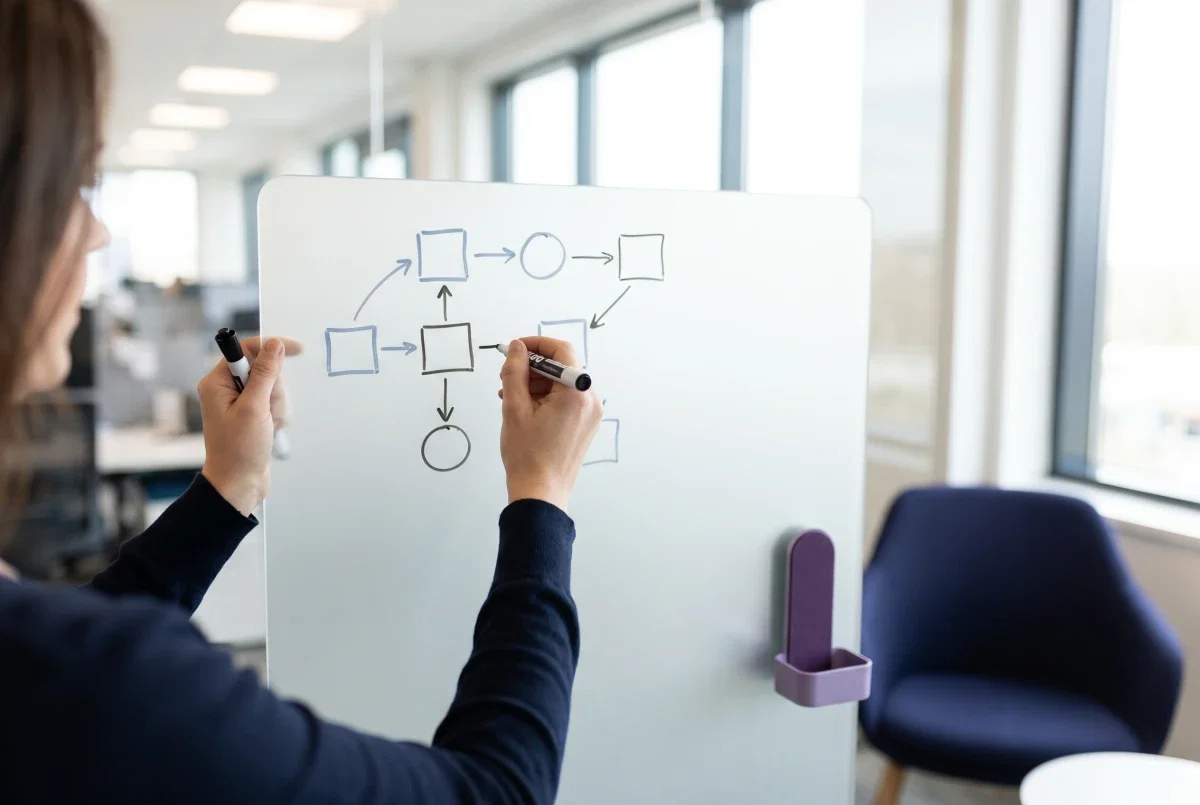
Migration plan
We map source-to-Odoo fields and design a low-downtime cutover plan.
- Field-by-field mapping
- Cutover window agreed up front
- Rollback plan if needed
 03
Data migration
We move contacts, products, invoices, and history, fully reconciled.
- Contacts, products, open items
- Historical transactions
- Reconciled against source
 04
Workflow rebuild
We recreate the reports, approvals and edge cases your team actually uses, natively in Odoo.
- Approvals and access rights
- Reports your team relies on
- Native Odoo, not bolt-ons
 05
Testing & validation
We test under load, run parallel checks, and reconcile the trial balance with our accounting-led team before go-live.
- Parallel run against the old system
- Trial balance reconciled
- Signed off before cutover
 06
Go-live & support
We cut over with minimal downtime and provide post-migration hypercare.
- Cutover on an agreed date
- Hypercare in the first weeks
- Handover to ongoing support

Four years of QuickBooks history, moved onto one Odoo system
A wholesale and retail distributor of consumer products kept its books in QuickBooks Online while stock, purchasing and customer records were tracked by hand around it. We moved all of it, reconciled line by line against the source.
Regional tax is mapped inside Odoo, the manual tracking is gone, and stock and sales now read next to the accounts. Delivered as an Odoo implementation plus migration by the same team.
Read the migration story
A migration partner that protects your data and your uptime
Odoo Partner expertise
A dedicated Odoo Partner team that has moved businesses off QuickBooks, NetSuite and legacy ERPs onto Odoo.
Every record reconciled
Field-by-field mapping and line-by-line reconciliation against the source keep your data accurate and intact.
Minimal downtime
Careful planning and parallel runs keep your business running through the move.
Support after go-live
After cutover, our HERO support plans, from $250 a month, cover support requests and fixes, with a first reply within 10 minutes in US business hours.
Further reading: Odoo Migration: Why Going with Experts Saves You Time and Stress, and Crucial Mistakes to Avoid When Hiring an Odoo Migration Partner.
Odoo migration, answered.
How long does a migration to Odoo take?
It depends on data volume, integrations and how much history you bring across. The scope, milestones and price are agreed in writing after a free demo, so you see the plan before any work starts. Still comparing destinations? Our ERP migration services page covers the platform-neutral method.
Will we lose any history?
Not if it is reconciled before you switch. Contacts, products, invoices, balances and the history you choose to bring are migrated to a test environment first, reconciled line by line against the source, and signed off before cutover.
Can we run our old system and Odoo in parallel?
Yes, we recommend a short parallel window, and you keep read access to the old system afterwards. Ongoing Odoo support plans pick up from there.
What’s different about migrating from QuickBooks?
QuickBooks holds balances, not operations. We map your chart of accounts and open AR/AP exactly, then add what QuickBooks never had, inventory, orders, and manufacturing, in the same system. See the QuickBooks to Odoo route in detail.
What does a migration cost?
The scope and price are agreed in writing after a free demo, including the migration itself; what sets the price is data volume, the number of systems and integrations, and how much history moves. A fresh build instead of a move is an Odoo implementation. Once you are live, our HERO support plans start at $250 a month.
Is an Odoo migration the same as an Odoo upgrade?
No. A migration moves a business onto Odoo from another system, such as QuickBooks, Sage or NetSuite. An upgrade moves a business that already runs Odoo from an older version to a newer one, and its risk sits in custom modules rather than in the data. Our Odoo upgrade services page covers that route.
Which tools and method do you use to move the data?
We export from the source system, clean the data and map it field by field, then load it into a test copy of Odoo with Odoo’s import tools, or with scripts where the volume needs them. The result is reconciled line by line against the source and signed off before the live load. You choose how much history comes across, from open items only to the full transaction record.
Will there be downtime during the migration?
We plan the cutover around your schedule and use parallel test runs to keep downtime to a minimum, so your team keeps working through the transition. New workflows are covered by role-based training.
Reviewed by Waqas Yousaf, Founder and CEO, Index World · Last updated October 30, 2026
Ready to move your business onto Odoo?
Comparing Odoo migration companies? Call +1 302-520-2225 or email sales@indexworld.net. Index World LLC, 896 S State St, Dover, DE 19901.